Move from booking to scheduled job
Keep customer, service and appointment information connected as work moves into the schedule.
 by Ellantec
FacilityPro helps cleaning, plumbing, electrical, HVAC, appliance repair, pest control and other home-service businesses manage the journey from booking and dispatch to technician updates, proof of work, expenses and billing.
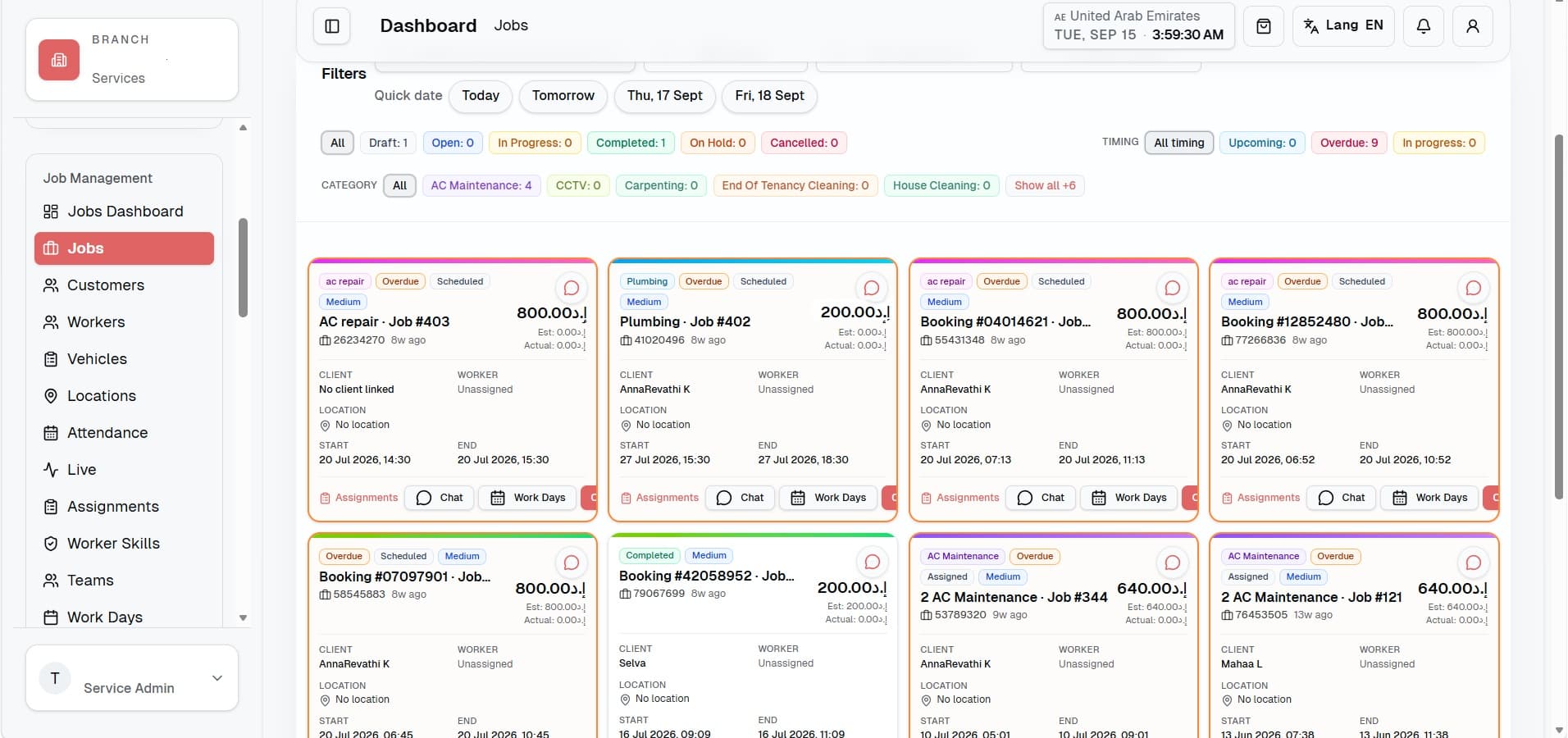
FacilityPro gives the office and field team one operational record, so managers spend less time finding information and more time keeping service on track.
Keep customer, service and appointment information connected as work moves into the schedule.
Use the jobs and assignment views to coordinate technicians and field work from one place.
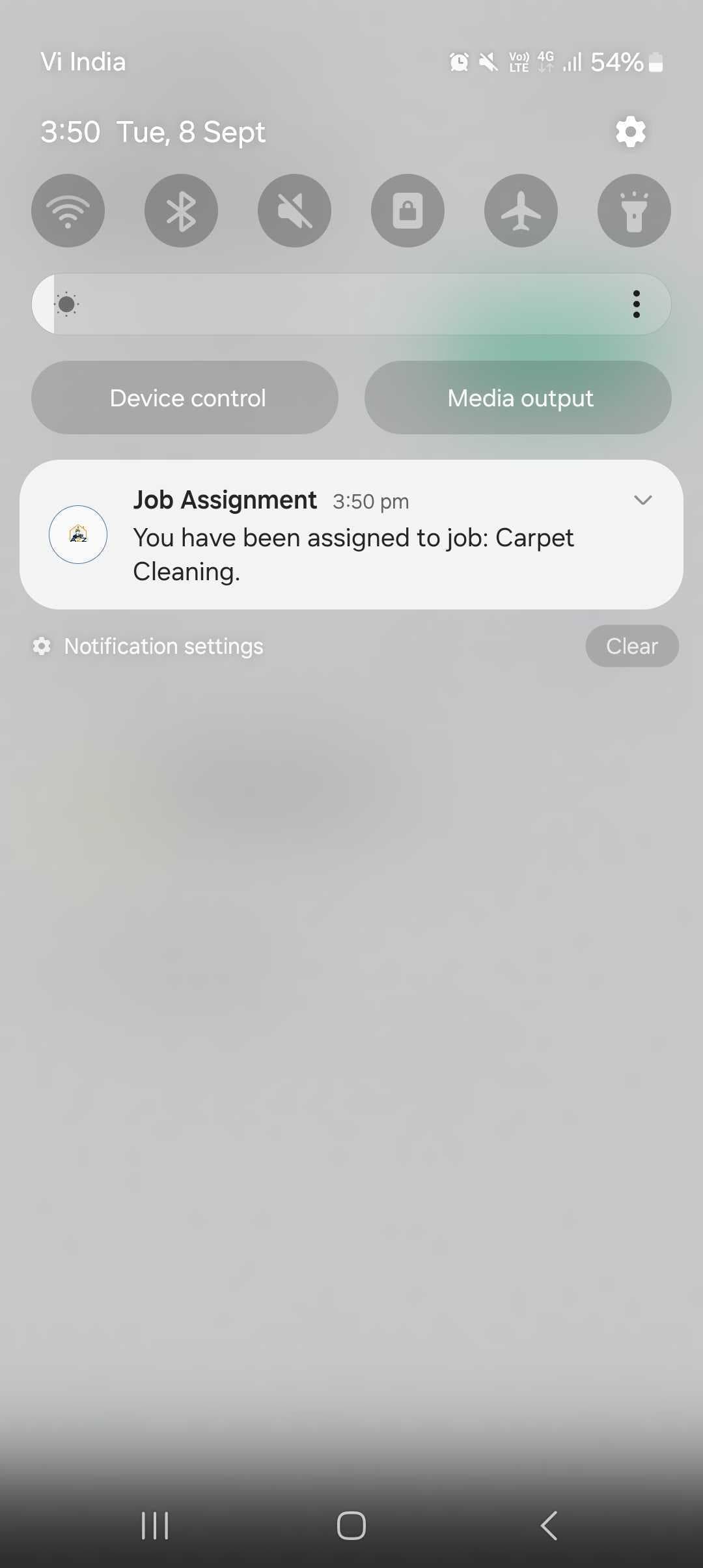
Send assignments to the field team so they have the information they need before arriving.
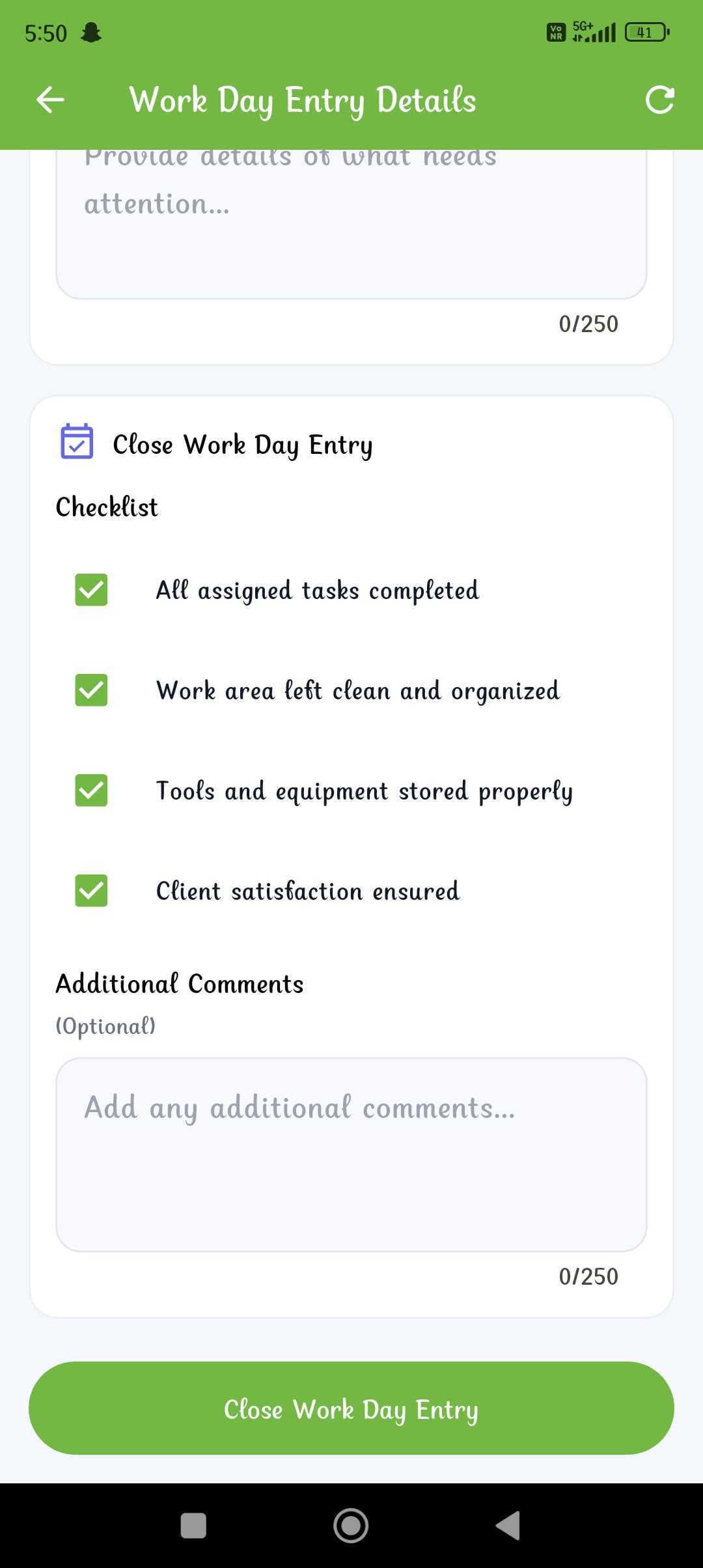
Keep checklists, photos, before-and-after evidence and job updates connected to the service visit.
Record job expenses and supporting details instead of reconciling separate messages later.
Keep operational and completion records together so the office has a clearer path from completed work to billing.
The office records the work once and keeps the service details connected.
The job moves into the field workflow with clear ownership and timing.
Progress, checklist information, evidence and expenses can be captured against the work.
Completion information stays available for customer follow-up and invoicing.
Assignments, job details, checklists, photos and completion evidence stay connected to the work instead of being scattered across calls and chat messages.
FacilityPro can support cleaning, plumbing, electrical, HVAC, appliance repair, pest control, handyman and other appointment-based field services.
Yes. FacilityPro includes mobile worker workflows for receiving assignments and job information.
Yes. FacilityPro can keep photos, checklists and completion evidence connected to the relevant job.
There is a one-month free trial. After the trial, up to 10 users are free. User-based pricing applies as the team grows, with all features included.
Start with one branch, one team or one service line. Expand when the workflow is working for you.